
AI Tools · Review
InstaDoodle Review (2026): Features, Pricing and Limits
Affiliate disclosure: some links on this page are affiliate links. If you buy through them we may earn a commission, at no extra cost to you. This does not change our verdicts. How we make money.
How we researched this: Based on the official InstaDoodle page and FAQ (checked 29 October 2026) and published research on animated explainer videos. We have not bought or tested the software. See our editorial policy.
Quick verdict
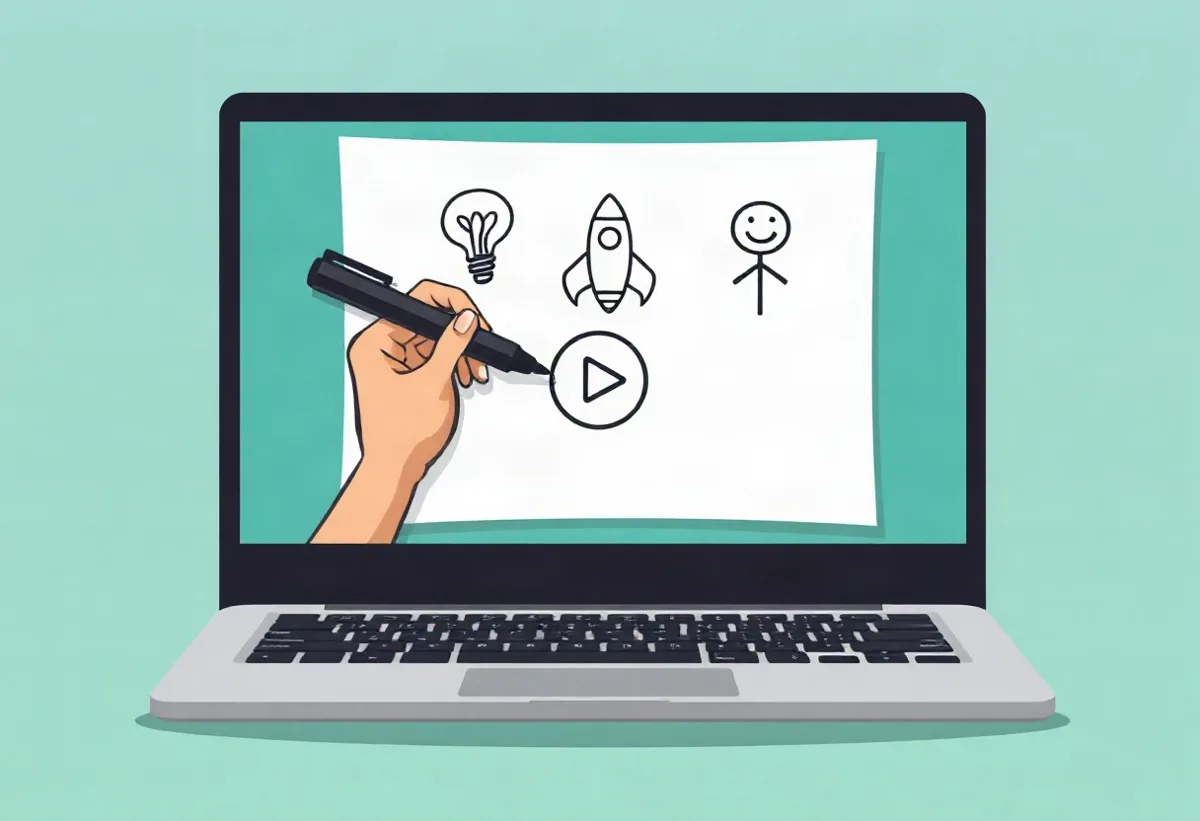
InstaDoodle is a browser-based tool for building whiteboard-style (“doodle”) explainer videos from a script, a library of hand-drawn elements and an AI image generator. On paper it covers what most beginners need for short explainers: templates, drawing-hand animations, audio sync and 1080p exports, sold for a one-time payment rather than a subscription. It is not a shortcut to income, whatever the sales page implies, and it will not write a good script for you. If you want simple doodle explainers for lessons, products or social clips and you are happy to learn a new editor, it is worth a look; if you need a broader design suite, a general tool may serve you better.
| What it is | Cloud-based whiteboard animation software (no install) |
|---|---|
| Works on | Any device with a modern browser, including Mac and Windows (per the official FAQ) |
| Price shown | $37 one-time (standard) or $67 one-time (with colour elements), as listed on 29 October 2026 |
| Refund policy | 60-day money-back guarantee stated on the official page |
| Free trial | No (the official FAQ says there is no free version or trial) |
| Best for | Beginners making short explainers, lessons and social clips |
| Main caution | Income-style marketing; check upgrades and licence terms before paying |
Check the current price and terms
View InstaDoodle on the Official Website (affiliate link)We may earn a commission if you buy, at no extra cost to you. Prices and terms can change.
What is InstaDoodle?
InstaDoodle is software for making whiteboard animation videos: the familiar format where a hand appears to draw simple illustrations on a white background while a voiceover explains an idea. This style has been popular for years in training, education and marketing because it is cheap to produce compared with live filming and because the step-by-step drawing gives viewers something to follow.
According to the official website, InstaDoodle runs in the cloud. You log in through a browser, build scenes in a drag-and-drop editor, and the finished video is rendered on the company’s servers rather than on your own computer. The product is sold through ClickBank, which acts as the retailer and handles payment.
This review is based on the official product page (checked on 29 October 2026), the official FAQ and published research on animated explainer videos. We have not bought or used InstaDoodle ourselves, so we describe what the seller says the software does, separate from what we can verify, and we flag the gaps.
Who InstaDoodle is for (and who it is not for)
Based on its feature list, InstaDoodle is aimed at people who want to produce simple explainer videos without design or animation skills. Typical users would include:
- Teachers, tutors and course creators who want short visual explanations of a concept.
- Small businesses explaining a product, service or process on a website or in an email.
- Content creators who want an alternative format for YouTube, Instagram or TikTok, including vertical clips.
- Internal trainers producing onboarding or how-to videos.
It is probably not the right fit if you need full motion graphics, live-action editing, complex character animation or a complete design suite for social graphics and documents. It also will not suit anyone hoping that software alone will create an income: the quality of an explainer video depends mostly on the script, the voiceover and the idea behind it.
Features listed on the official page
The official page lists the following for both one-time plans. We have reproduced the list in our own words and have not been able to test each item.
| Feature | What the seller says | What to keep in mind |
|---|---|---|
| Drag-and-drop editor | Build scenes without design skills | Any editor takes some practice; budget time to learn it |
| DoodleAI engine | Type a prompt to generate doodle characters or elements, in three styles (caricature, cartoon, realistic) | Includes 150 AI credits; AI output varies and may need several attempts |
| Element library | 1,000+ doodle elements, 14 project templates and 7 drawing hands | Library assets may also appear in other users’ videos |
| Animation and sync | 6 animation types, custom slide transitions and automatic audio sync with slides | You still need a voiceover or music track |
| Image editor | Built-in editor with a background remover | Useful for adding your own logos or photos |
| Output | 1080p HD videos with multiple aspect ratios (for example 16:9 and 9:16) | Rendering happens in the cloud, so you wait for the render to finish |
| Languages | “Works in any language” | This refers to your own text and audio; check how fonts handle your language |
| Colour (higher plan) | The $67 plan adds colour element generation | The standard plan is described as black-and-white doodles |
The page also mentions free updates and support, with help requests handled through a ticket system at the company’s help centre. Bonuses are delivered on the thank-you page after purchase; we cannot verify their content.
How InstaDoodle is marketed to work
The official sales page presents InstaDoodle as a way to create “AI explainer videos” from simple text prompts and compares its price with the cost of hiring a scriptwriter, voiceover artist, designer and animator for a single professional video. It also states that the usual price is $37 per month and that the one-time offer is a limited-time discount, and it uses phrases such as “pay once and profit for life”.
We would treat those parts of the page as marketing rather than information:
- The cost comparison assumes you would otherwise pay agency rates. Many people simply would not make the video at all, so the real comparison is with free or low-cost tools.
- “Limited-time” pricing is common on ClickBank sales pages. We cannot verify how long the price will last, and we suggest you ignore countdown pressure.
- “Profit for life” is not something any software can promise. Whether a video earns money depends on your audience, your offer and your marketing.
The page also showed a regional pricing message offering a discount based on “purchasing power parity” when we visited, so the price you see may differ from ours.
Do whiteboard explainer videos actually help?
There is no independent research on InstaDoodle itself. There is, however, research on animated and whiteboard-style explainer videos in general, mostly from education and healthcare, and it is fairly encouraging for the format:
- A 2024 systematic review in the Journal of Medical Internet Research looked at 15 randomised controlled trials with 2,454 patients. In 11 of the 15 trials, animation videos improved short-term recall of health information compared with usual care. The authors noted that longer-term effects need more research (Hansen and colleagues, 2024).
- A 2024 study in medical education compared animated whiteboard videos with textbooks for teaching surgery to medical students. The video group scored higher in the post-test (80% vs 73% correct) and showed a larger learning gain, although they also spent longer studying (Koch and colleagues, 2024).
These findings support the idea that clear, animated explanations can help people understand and remember information. They do not show that one particular software tool is better than another, and they say nothing about sales or income. The quality of the script and the clarity of the visuals matter far more than the tool.
Pros and cons
Pros
- One-time payment rather than a monthly subscription (as listed)
- Runs in a browser, so no installation and cloud rendering
- Templates, drawing hands and a large element library for quick starts
- Vertical and horizontal formats for different platforms
- 60-day money-back guarantee stated by the seller
Cons
- Income-style marketing (“profit for life”) that no software can deliver
- No free trial, so you pay before trying it
- AI credits are limited (150 listed); we could not confirm how extra credits are priced
- ClickBank software offers often include optional upgrades during checkout; read each screen carefully
- Licence terms for client or commercial work should be checked before you rely on them
Pricing (verified on the official page)
| Plan | Price shown | Main difference |
|---|---|---|
| InstaDoodle (standard) | $37, one-time | Black-and-white doodle elements, all core features listed above |
| InstaDoodle with Colour Support | $67, one-time | Adds colour element generation |
Prices were checked on 29 October 2026 and are shown in US dollars as listed. Your checkout may show a different currency or a regional price, and taxes may apply. We did not go through checkout, so we cannot list any upgrade offers that may appear after you enter payment details.
Who should consider it
InstaDoodle makes the most sense if you already know what you want to explain and who it is for. A good test is to write one 60 to 90 second script before buying: if the script is clear and you can picture three to six simple scenes, a doodle tool can turn it into a watchable video. If you are still working out your message, start with the script; the software will not fix an unclear idea.
It is also worth thinking about volume. A one-time payment suits people who will make videos regularly. If you only need one or two explainers a year, a general design tool you already have may be enough.
Alternatives worth comparing
- VideoScribe (videoscribe.co): a long-established whiteboard animation tool, sold on a subscription basis.
- Doodly (doodly.com): another doodle video tool aimed at marketers.
- Canva (canva.com): a general design tool with simple animation and video features and a free tier. It does not specialise in hand-drawn whiteboard animation.
We have not compared these tools hands-on. Check each provider’s current plans and trial options on its own website, as prices and features change.
Our verdict
InstaDoodle looks like a reasonable, focused option for beginners who want whiteboard-style explainers without a subscription, and the format itself has research behind it for learning and recall. The sales page leans heavily on income language and urgency, which we would ignore. Decide based on the features you will actually use, the stated 60-day guarantee and whether a one-time payment suits how often you make videos.
Check the current price and terms
View InstaDoodle on the Official Website (affiliate link)We may earn a commission if you buy, at no extra cost to you. Prices and terms can change.
Frequently asked questions
Do I need to install InstaDoodle?
No. The official FAQ says it is a cloud-based app that you use in a browser, and videos are rendered online.
Does InstaDoodle work on a Mac?
The official FAQ says it works on Mac, Windows and other devices because it runs in the browser.
Is there a free trial?
No. The seller says there is no free version or trial, but offers a 60-day money-back guarantee.
Can I make vertical videos for Reels or TikTok?
The official page says InstaDoodle supports multiple aspect ratios, including 9:16 for stories and short-form video.
Will InstaDoodle help me make money?
Software cannot guarantee income. Videos can support a business or a course, but results depend on your audience, offer and marketing.
Conclusion
If whiteboard explainers fit what you teach or sell, InstaDoodle is a straightforward tool to consider, with a one-time price and a stated refund window. Write your script first, check the plan and licence details on the official website, and treat the income claims on the sales page with healthy scepticism.
Check the current price and terms
View InstaDoodle on the Official Website (affiliate link)We may earn a commission if you buy, at no extra cost to you. Prices and terms can change.
Sources
- InstaDoodle official website (features, pricing, FAQ; checked 29 October 2026)
- Hansen S et al. (2024). The effectiveness of video animations as a tool to improve health information recall for patients: systematic review. J Med Internet Res.
- Koch M et al. (2024). Improved learning gain in medical students by using animated whiteboard-videos in comparison to textbooks. J Med Educ Curric Dev.
Facts, prices and claims in this article were checked against these sources on 29 October 2026. Seller claims are the sellers’ own. Spotted an error? See our corrections policy.
Software results depend on how you use it. We do not promise views, sales or income.
Join the newsletter
Get one useful, honest pick a week: practical tools, simple routines and researched reviews. No spam.
Newsletter signup opening soon.
You will get a confirmation email first: you are only subscribed after you confirm. One email a week at most, unsubscribe at any time with one click. We use Kit to send emails; see our Privacy Policy.